
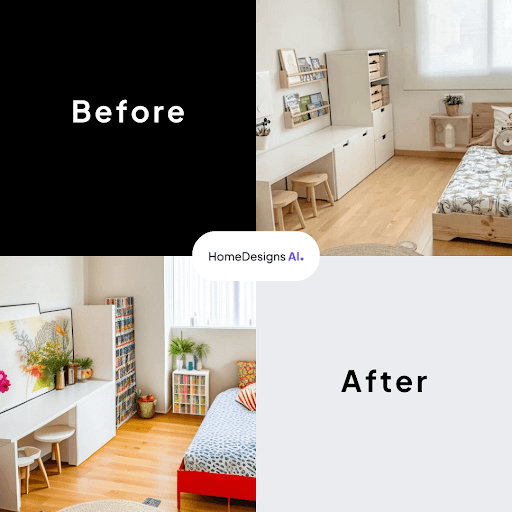
In the age of smart technology, the way we approach home design has evolved remarkably. HomeDesigns AI brings the future of interior redesign to your fingertips, empowering homeowners and design enthusiasts with a sophisticated tool that blends AI prowess with human creativity.
Our Redesign Mode offers a seamless, step-by-step process that allows users to reimagine spaces with precision and flair. Whether you’re contemplating a room refresh or an entire home makeover, this guide is your ticket to a transformative design experience.
Here’s a quick step-by-step guide on using our Redesign Mode:

Step 1: Choose Your Area
Welcome! Let’s get started on giving your home a fresh new look using the Redesign feature.
First things first, decide which area of your house you want to revamp. You have three options to choose from:
- Interiors
- Exteriors
- Gardens
Simply click on the corresponding buttons to make your selection.

Step 2: Upload Your Picture
Now, let’s bring your vision to life! Click on the “Upload Image” box to add the picture you want to work with. You can choose a photo from your smartphone or computer gallery. Remember to ensure your picture is in either .png or .jpg format for smooth processing.
For the best results, we recommend using photos taken in natural lighting. Also, try to avoid using the “wide” setting on your camera.
Step 3: Pick Your Room Type
Once your picture is uploaded, it’s time to choose the room type you want to focus on. This step is super easy! Just access the dropdown menus provided below and pick your preferred room type.
Step 4: AI Intervention Options
Our intelligent AI system is here to help you make your design dreams come true. In the “AI Intervention” dropdown, you’ll find different options to customize the level of AI-driven changes applied to your pictures:
- Very Low AI Intervention: For subtle adjustments
- Moderate AI Intervention: For balanced changes
- Extreme AI Intervention: For more dramatic transformations
Choose the option that suits your style and preferences.
Step 5: Select Your Redesign Mode
Next up, let’s decide on the overall approach for your redesign. You have two fantastic options:
- Beautiful Redesign: Enhance your room’s current aesthetics without drastic alterations.
- Creative Redesign: Embrace a more transformative approach with additional changes.
- Fill the Room: Fill up empty spaces in your design for a well-balanced look, but for more precision, we recommend utilizing the Fill Spaces feature.
Step 6: Choose Your Style and Designs
Get ready to have fun with your creativity! You can now select your desired style and the number of designs you want to explore. Let your imagination run wild!
Step 7: Add Personalized Touches
If you want to add your personal touch to the design, we’ve got you covered! Use the “Custom AI Instruction” box to include specific elements, like a “green couch” in your room. Simply check the box and type in your instructions.
You’re All Set!
Congratulations on taking the first steps toward transforming your home into a haven you’ll love! Now, let’s get started on your dream redesign journey.
Happy decorating!